htmltool2 Pro
HTML 在线编辑器增强版。可视化微调文字、颜色、图片替换、margin 调整。An enhanced online HTML editor — visually fine-tune text, colors, image swaps, and margins.
Open tool →
Interactive Data Viz
5 种交互图表模式(可展开条形图、张力对比、气泡地图、哑铃图、可排序卡片)。页面底部附 Agent Skill 包下载。5 interactive chart patterns (expandable bars, tension pairing, bubble map, dumbbell, sortable cards). Agent Skill package available for download on the demo page.
Open demo →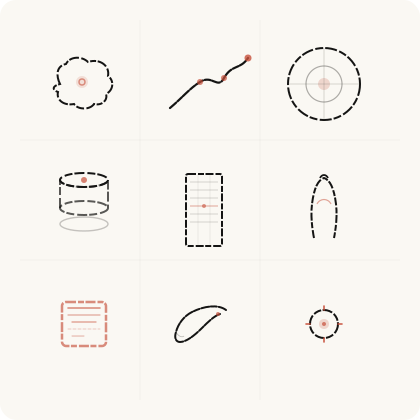
SVG 组件库
135 个水墨枯笔 × 朱砂点睛 SVG 组件,14 大分类(纹样/建筑/文房/节气/书法/图表/数据工程等)。支持深色模式自动适配,可下载 SVG/PNG 或一键复制代码。135 ink-brush & vermillion SVG components across 14 categories (patterns, architecture, objects, seasonal, calligraphy, charts, data engineering, etc.). Dark-mode auto-adaptive. Download SVG/PNG or copy code.
Browse library →
辐射安全考试题库Radiation Safety Q&A
12 类专项题库 · 28 MB · 按学科分类下载原始 PDF。12 topic-specific question banks · 28 MB · download original PDFs by subject.
下载题库 →Download →
辐射安全模拟考试Radiation Safety Quiz
真实考试界面 · 随机抽题 · 自动判分 · 错题回顾 · 419 题完整题库。Real exam UI · randomized questions · auto-grading · wrong-answer review · 419-question bank.
开始考试 →Start quiz →
文人 IP 元素库
水墨文人 × 朱砂点睛 · 27 姿态完整动作库。梁楷减笔风格,覆盖经典文人场景与数据可视化隐喻(竹为柱、墨为线、棋为阵)。Ink scholar IP with 27 poses in Liang Kai reduced-brush style, covering classic scenes and data visualization metaphors.
Browse library →
Flowmaker
一句话生成可编辑网页流程图。节点拖拽、双击改名、连线编辑、详情弹层、一键导出 PNG。基于 xntj-ai/flowmaker 定制优化。Generate editable web flowcharts from one sentence. Drag, edit, connect, export PNG. Customized from xntj-ai/flowmaker.
查看详情 →View details →
Archify Diagrams
可验证的交互式架构/数据流/时序图集。JSON 驱动、确定性渲染,提供原版与个人设计 DNA 双主题。Verifiable interactive architecture, dataflow and sequence diagrams. JSON-driven, deterministic rendering, in both native and personal design-DNA themes.
查看图集 →View gallery →
AI 编程工具收敛清单
卸载重叠 AI 编码工具、清理 npm 全局包与配置残留、统一 MCP、30 天收敛验证。可勾选追踪进度。Uninstall overlapping AI coding tools, clean npm globals and config leftovers, unify MCP, and verify convergence in 30 days. Trackable checklist.
开始清理 →Start cleanup →
提示词库
工作场景沉淀的可复用提示词卡片。自动分类、搜索、一键复制,365 Copilot 生成卡片发给 Harmony 即可入库。Reusable prompt cards distilled from real work. Auto-categorized, searchable, one-click copy. Generate a card with 365 Copilot and send it to Harmony to add.
浏览提示词 →Browse prompts →
DR 诊断树DR Troubleshooting Tree
X-ray DR 设备故障诊断树演示。Graphviz 可视化,从症状出发逐层定位根因,Serviceability 现场经验的图谱化。A demo fault-diagnosis tree for X-ray DR systems — Graphviz-visualized, walking from symptoms to root cause. Field serviceability knowledge as a graph.
查看诊断树 →View tree →
思维教练 · Copilot AgentThinking Coach · Copilot Agent
公司 M365 Copilot 平台的思维教练智能体配置页。SCQA→MECE→金字塔的引导式思考,工作中随叫随到。The configuration page for a thinking-coach agent on M365 Copilot — SCQA → MECE → pyramid guided thinking, on call at work.
查看配置 →View config →
Copilot HTML 归档规范Copilot HTML Reference
与公司 Copilot 协作的产出规范:HTML 归档格式、Custom Instruction、沉淀到知识库的标准流程。Output conventions for working with company Copilot — HTML archival format, custom instructions, and the standard flow into the knowledge base.
查看规范 →Read reference →
Copilot 365 指令Copilot 365 Instruction
M365 Copilot 的 Custom Instruction 全文:让公司 AI 按我的工作流与术语习惯响应。The full custom instruction for M365 Copilot — company AI that responds in my workflow and terminology.
查看指令 →View instruction →
Vibe Coding 教练包Vibe Coding Coach Kit
公司 AI 比赛的教练框架:M365 PM Agent 聊需求 → PRD 9 章节 → gpt-image 原型图 → spec-kit + Copilot Agent Mode 一步生成自愈验证。四个即贴模板 + 60 分钟剧本。A coaching framework for the company AI contest — M365 PM agent to PRD, gpt-image mockups, then spec-kit + Copilot Agent Mode for one-shot generation with self-healing verification. Four paste-ready templates and a 60-minute runbook.
查看教练包 →View kit →
本体游乐场Ontology Playground
微软开源的本体可视化设计器:拖拽建模实体与关系、RDF/XML 导入导出、交互图谱浏览,对齐 Fabric IQ。用于 DR 设备故障树图谱建模。Microsoft's open-source visual ontology designer — drag-and-drop entities and relationships, RDF/XML round-trip, interactive graph, aligned with Fabric IQ. Used for DR equipment fault-tree modeling.
开始建模 →Open playground →AI 图表控件 10 式10 AI Chart Prompts
十条提示词对应十个可交互图表控件:活动圆环、热力格、仪表盘、柱状图、专注分段、范围折线、目标线、占比条、环形图、气泡图。每条提示词可一键复制投喂 AI。Ten prompts, ten interactive chart components — rings, heatmap, gauge, bars, focus timeline, range line, target line, proportion bar, donut, bubbles. Copy any prompt with one click.
查看 10 式 →View charts →